Hours
Mon: Closed
Tues: 9:00AM-5:00PM
Wed: 7:00AM-5:00PM
Thurs: 9:00AM-5:00PM
Fri: 8:00AM-4:00PM
Sat: 8:00AM-3:00PM


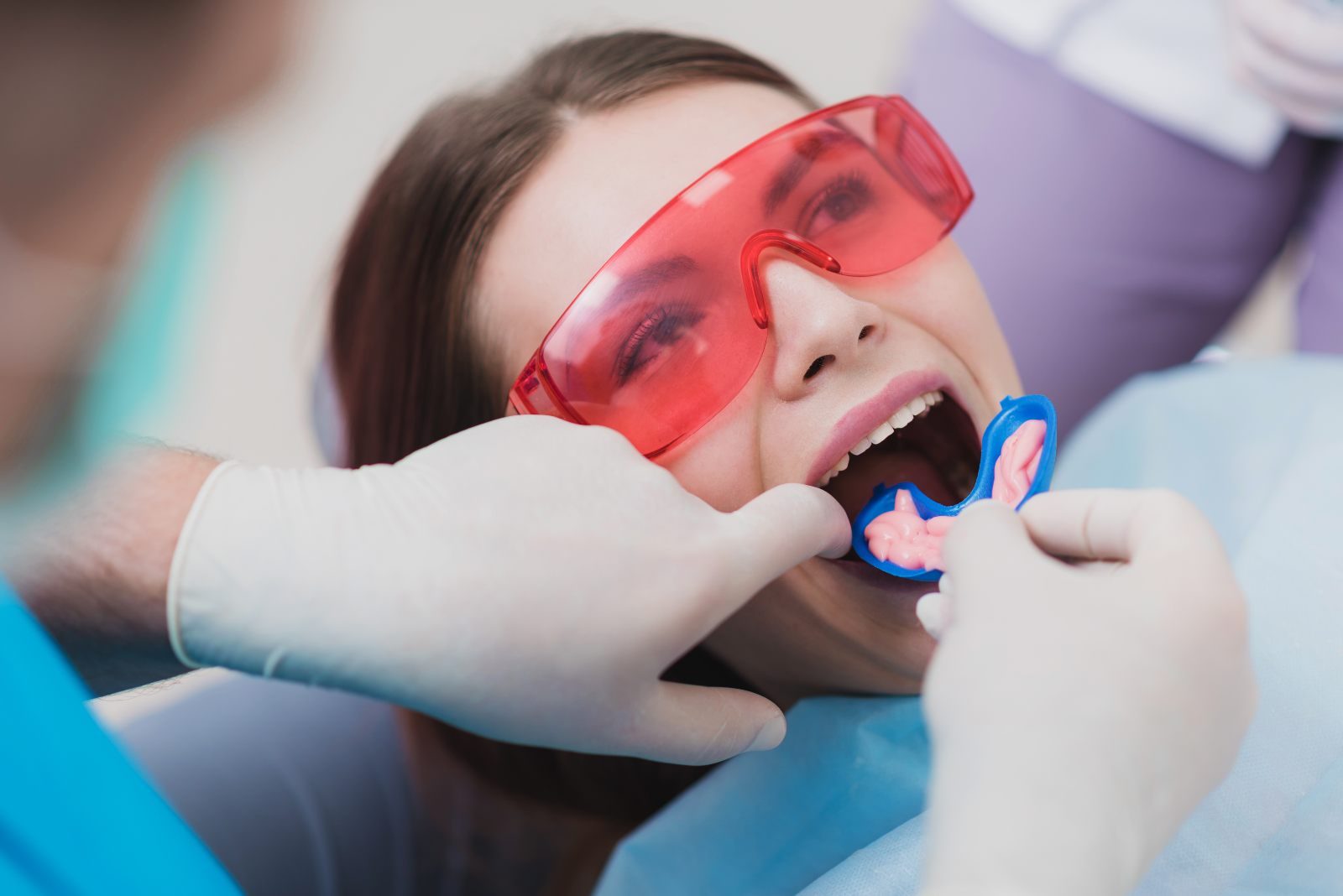
If you have a wedding, a work photo, or a big trip coming up, you may be looking for the quickest way to brighten your smile. That is usually when Zoom teeth whitening comes up. It is one of the best-known professional whitening systems, and people choose it because it can lighten teeth noticeably in a single visit.
The short answer: Zoom is an in-office whitening treatment made by Philips. A dental team applies a 25% hydrogen peroxide gel to your teeth and uses a blue LED light to help it work faster. The whitening itself takes about 45 minutes, and Philips says it can lighten teeth by up to eight shades, although results vary from person to person.
This guide explains how Zoom whitening works, what happens step by step, how sensitivity is handled, and how to make your results last. At Lush Dental Heights in Houston, Dr. Pasha Noorian helps patients choose the teeth whitening approach that fits their teeth, timeline, and comfort level.
Philips Zoom is a professional teeth whitening system made by Philips, the company behind Sonicare toothbrushes. The in-office version, Philips Zoom WhiteSpeed, uses a hydrogen peroxide whitening gel that a dental team applies to the front of your teeth. A blue LED lamp is then positioned over your smile to help the gel work faster.
Because it is done in a dental office, the gel is much stronger than store-bought products. Your lips, cheeks, and gums are shielded during treatment, so the gel stays on your teeth. That protection, along with a dentist checking your teeth first, is a big part of why in-office whitening is considered safe for most adults.
Peroxide whitening works by breaking down the colored compounds that build up inside the enamel and the layer beneath it, called dentin. It does not scrub the surface the way a whitening toothpaste does, which is why it can lift deeper, everyday staining. You may also see it called “Zoom laser teeth whitening,” but that name is a little misleading: the Zoom lamp uses high-intensity blue LED light, not a laser.
Zoom whitening works best on yellowish stains caused by:
It usually works more slowly on deep, built-in stains, such as gray banding from certain childhood antibiotics like tetracycline or a single tooth that darkened after an injury. Those cases may need a longer, tray-based program or a different treatment, so a dental exam helps set realistic expectations before you start.
Speed is the main reason people choose it. According to Philips, Zoom WhiteSpeed is clinically proven to whiten teeth by up to eight shades in one visit, with about 45 minutes of whitening time. That is the time the gel is actually on your teeth. Your full appointment runs longer, because your dentist also needs time to check your teeth, record your starting shade, and prepare your mouth.
The words “up to” matter. Everyone’s teeth are different, and how much lighter yours get depends on your starting shade, the type of stains you have, and how your enamel responds. Many people see a clear difference after one visit, but results vary.
Here is how Zoom compares with other ways to whiten:
Philips describes the Zoom WhiteSpeed procedure as a short preparation period followed by three 15-minute whitening sessions. Here is what a typical visit looks like:
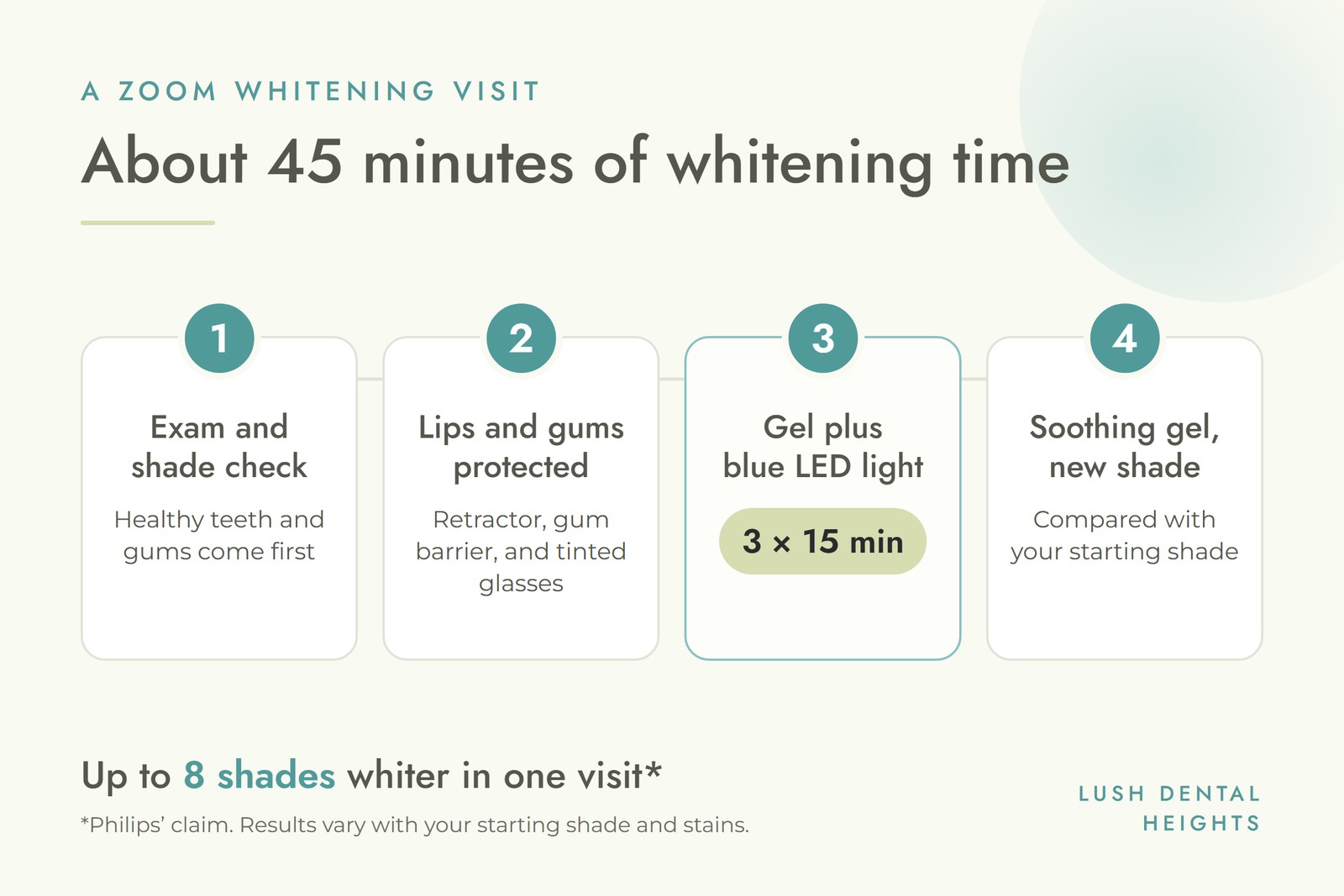
Many people relax with music or a show during treatment. You do not need numbing, and you can drive yourself home afterward.
Most people notice the difference as soon as the retractor comes out. A few things are worth knowing, so your expectations match what you see in the mirror:
If you are planning new crowns or veneers in your smile line, it usually makes sense to whiten first. At Lush Dental Heights, we will usually whiten your natural teeth first and then match any new restorations to the brighter shade.
Zoom whitening is not painful for most people, but some sensitivity is common with any peroxide whitening. The American Dental Association notes that temporary tooth sensitivity and gum irritation are the most common side effects of whitening, and that they are typically mild and short-lived. You might feel:
These effects usually fade within a few days. In its own patient surveys, Philips reports that 99% of patients had little or no sensitivity during treatment and 82% had none afterward. Keep in mind that those figures come from the manufacturer.
To lower your risk:
Zoom whitening is a good fit for many adults with healthy teeth and gums who want a brighter smile quickly. It may not be the best choice if you:
If whitening alone won’t give you the look you want, other cosmetic options can help. Dental bonding or porcelain veneers can cover stains that whitening cannot lift, and a smile makeover combines several treatments into one plan.
The cost of Zoom teeth whitening varies from office to office, so the most reliable number is the one you get after an exam. A few things affect the price:
Professional in-office whitening is one of the more affordable cosmetic treatments. Dental insurance usually does not cover it, because whitening is considered cosmetic. At Lush Dental Heights, financing is available through Cherry, CareCredit, Sunbit, and HFD, pending approval. You can read more about our Cherry payment plans.
Store-bought strips and kits cost less, but they use weaker gels and work more slowly. They also come in one size, so gel can miss parts of your teeth or irritate your gums.
Professional whitening, like Zoom, uses a stronger gel under a dentist’s care. That means faster results, protected gums, and a plan made for your teeth. If you are weighing the two, we cover the trade-offs in more detail in our post on professional teeth whitening vs. store-bought kits.
Teeth whitening is not permanent. Over time, everyday foods and drinks slowly bring back some staining. With good care, many people enjoy their results for months or longer, and some choose a touch-up once or twice a year. Take-home trays from your dentist make those touch-ups easy, and regular dental cleanings remove the surface stains that build up between visits.
At Lush Dental Heights, our in-office teeth whitening follows the same basic approach described above: a professional whitening solution is applied to your teeth, and a light is used to activate it. Treatment typically takes 45 minutes to an hour.
It starts with a consultation, where you talk through your goals with Dr. Noorian. If whitening isn’t right for your situation, we will discuss alternatives. On treatment day, a retractor holds your lips back so they don’t touch the whitening solution, and you are given glasses to protect your eyes from the light. Each of our treatment rooms has a TV, so you can settle in with a show while the gel works. If you would rather whiten at your own pace, we also offer at-home options.

Our office on North Main Street is an easy stop for patients from Garden Oaks, Woodland Heights, Rice Military, and across the Heights. If you are comparing whitening systems, ask at your visit which product and gel strength your dentist uses. The right choice depends more on your teeth than on the brand name.
The whitening itself takes about 45 minutes, usually in three 15-minute sessions. Your full appointment is longer, to allow time for an exam, a shade check, and preparation.
Philips says Zoom can whiten teeth by up to eight shades in one visit, but results vary. Your starting shade and the type of stains you have make a big difference.
No. It is often called laser whitening, but the Zoom lamp uses blue LED light, not a laser, to help the peroxide gel work faster.
When done by a dental professional, in-office whitening is considered safe for most adults with healthy teeth and gums. Temporary sensitivity and mild gum irritation are the most common side effects, and they usually fade within a few days.
No. Whitening gel only works on natural teeth. Crowns, veneers, bonding, and tooth-colored fillings stay the same shade, which is why it often makes sense to whiten before replacing visible dental work.
It is best to avoid coffee, tea, red wine, and other dark drinks for the first 48 hours, when teeth pick up stains most easily. After that, using a straw and rinsing with water afterward helps protect your results.
Ready for a brighter smile? Book a visit with Dr. Pasha Noorian at Lush Dental Heights. We’ll check your teeth, talk about your goals, and help you choose the whitening option that’s right for you.
Call (713) 487-9618 or book an appointment online. You can find us at 5307 N Main St, Suite 200, Houston, TX 77009.

© Lush Dental Heights
Website by Wonderist Agency | Privacy Policy
